Helping customers overcome cyber security incidents
- Problem
- Cloudflare offers different services for active and past security incidents. Customers under attack, often in a panic, need to reach the right one immediately.
- Solution
- I led content design to build the shortest path from the dashboard to the right support.
- Outcome
- Customers were able to request support for cyber security emergencies within a median time of 8.5 seconds. No confusion between non-emergency and emergency services was identified.
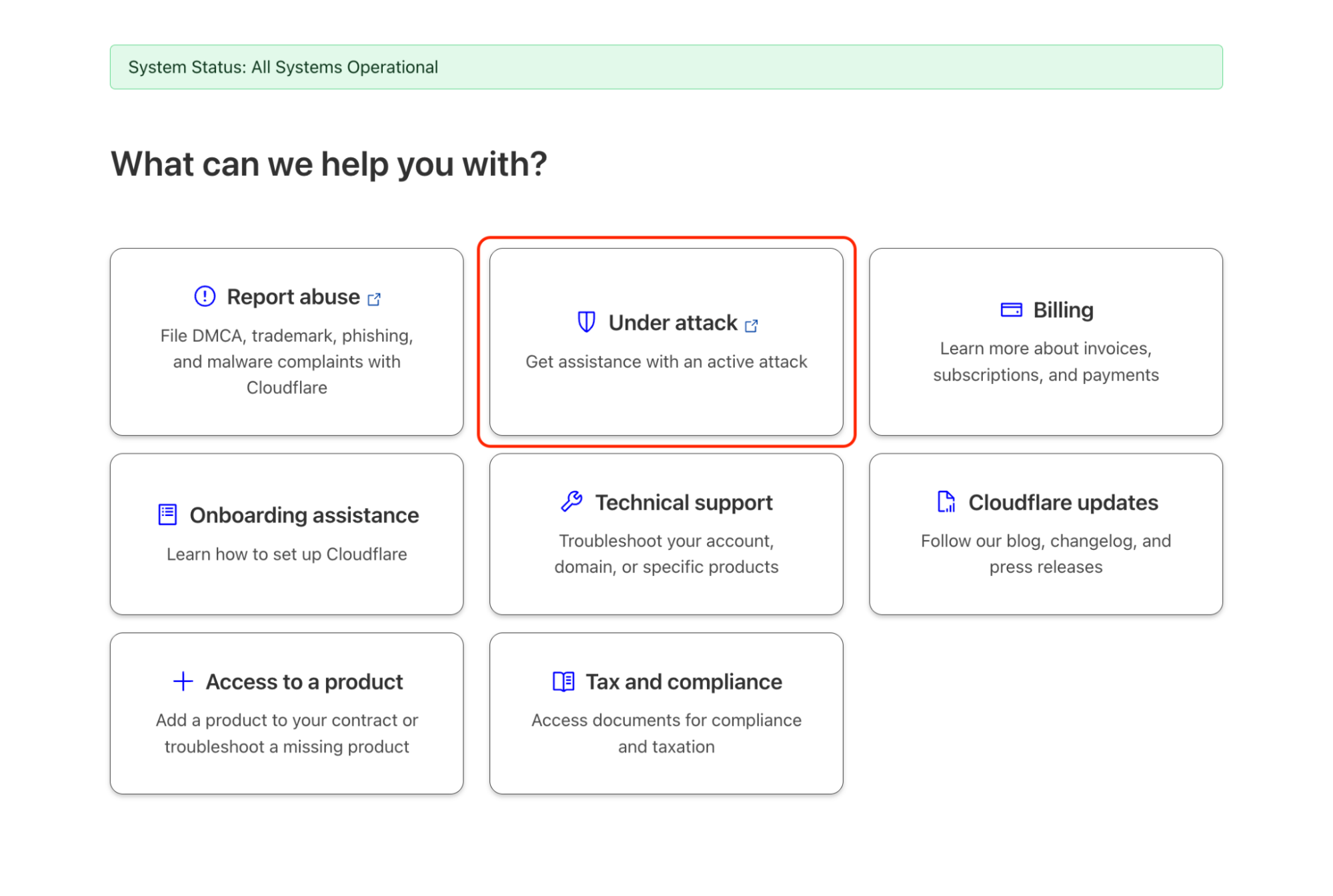
Two security use cases
Cloudforce One REACT (Respond, Evaluate, Assess, Consult Team) provides services to help organisations with active and past cyber security incidents. Both services sit in the same product, but the people reaching for them are in radically different states of mind.
User state A
In the middle of an emergency
Active attack underway. Every second matters. The user needs to reach a human expert immediately. They have no capacity to parse options, evaluate services, or navigate a form with multiple branches.
User state B
Recovering or preparing
The immediate crisis has passed, or hasn't happened yet. The user has time to read what services are available and submit a considered request.
Starting with empathy mapping
I ran a content strategy workshop to map each user's emotional state before deciding on structure, hierarchy or copy.
Two content principles emerged clearly from this session and shaped every subsequent decision:
-
01
Emergency CTAs must be clear and linear
A user in a panic needs to find the right service fast. The user should not have to hunt to find help. Any additional context or options had to come after the action, not before it.
-
02
Urgent and non-urgent services must live in separate spaces
Placing both service types in the same view risks overloading a panicked user with options that are not relevant to their needs.
From wireframes to high-fidelity content iteration
Following the workshop, I translated the content principles into low-fidelity wireframes. These established the general content patterns that the product designer could then translate into high-fidelity designs.
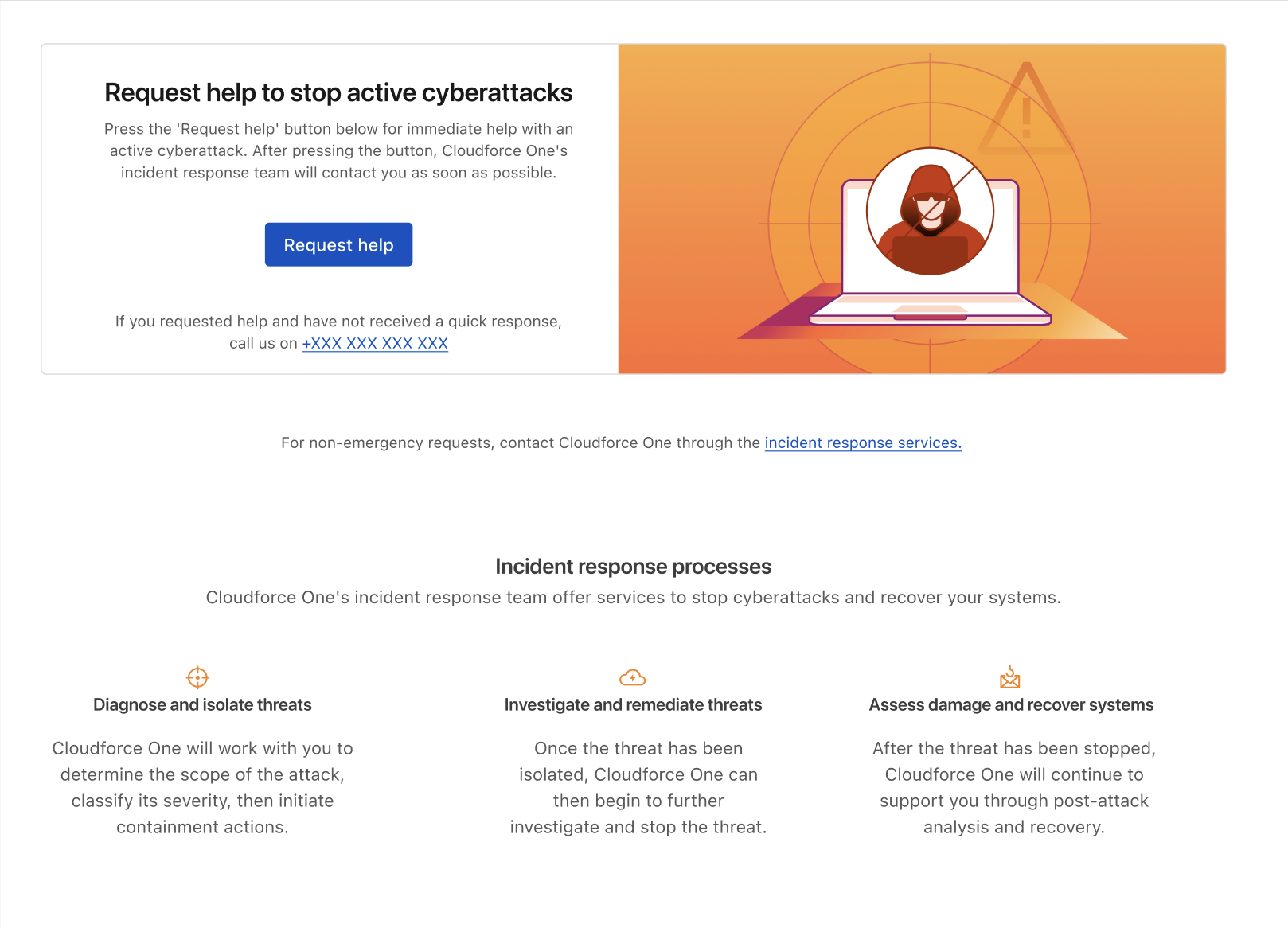
Emergency incident dashboard
Contacting a REACT responder had to take as few steps as possible. Copy around the main CTA is minimal; explanation sits lower for customers unsure what the page is for.
Post-incident and advisory services form
The non-urgent services form presented a different content design challenge. The service covers a broad range of offerings, such as proactive threat hunting, tabletop exercises, incident readiness assessments, and post-incident support. Each of these requires different information from the customer.
Rather than presenting a single long-form request, I designed a multiple-choice selection at the start of the form. This gives users a clear overview of the services available, and lets the form change dynamically to show only the fields relevant to the selected service.
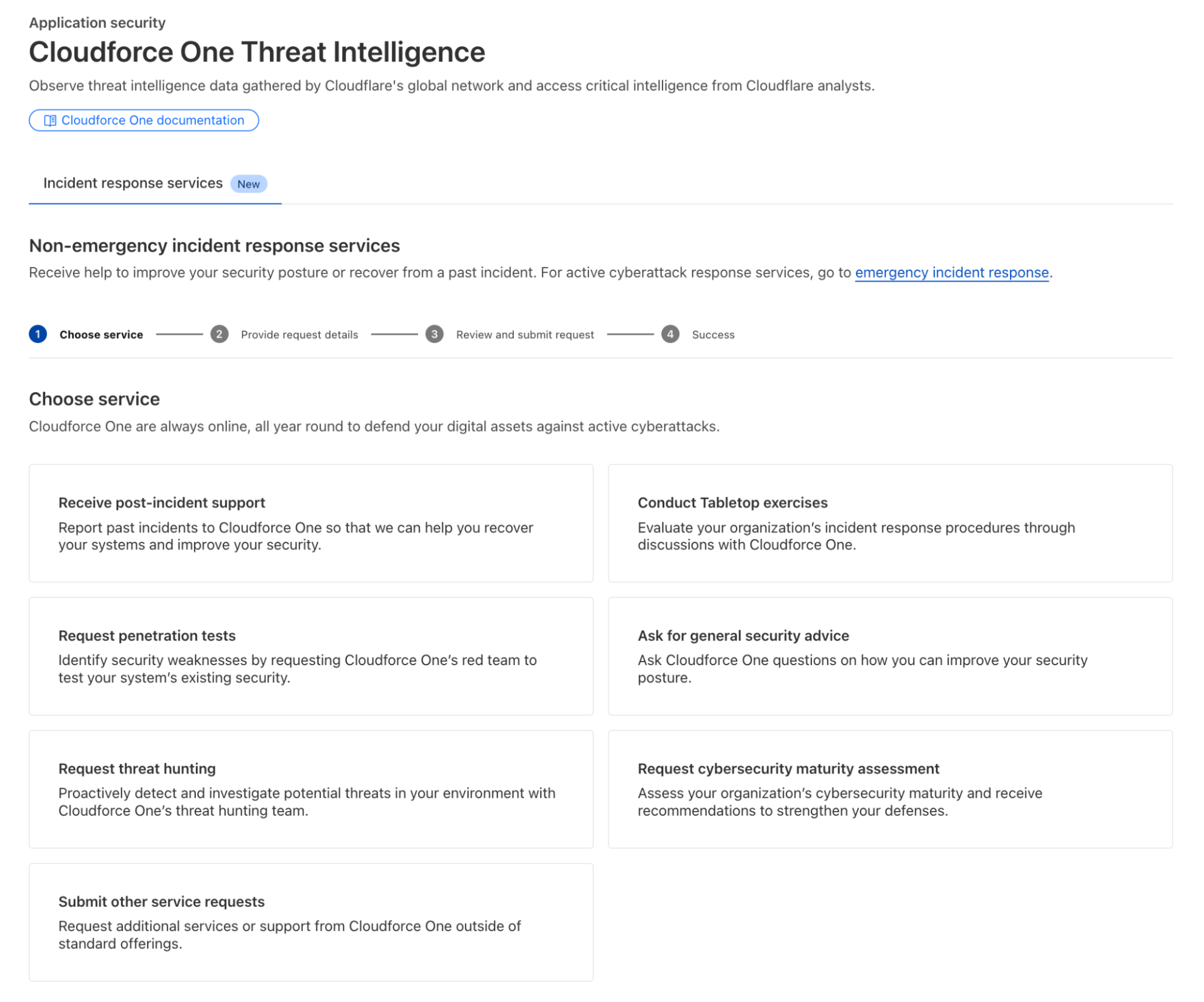
Through high-fidelity design I kept iterating on copy and structure: refining labels, adjusting hierarchy and making sure each service's description matched what it delivers.
Results
-
Users who requested emergency incident support took a median time of 8.5 seconds to request help after opening the dashboard. Optimising the content path with follow up testing may reduce this number even further.
-
Usage data showed no confusion between emergency and non-emergency services. Tracking needs review, and customer feedback will confirm this.