Simplifying Cloudflare's web application security
- Problem
- Cloudflare's application security tools were difficult to learn, and were spread across many dashboards.
- Solution
- I led content design for the unified dashboard, so users could understand and act on their security posture in one place.
- Outcome
- Users were 42% more successful at deploying security rules, and 86% of those who opted in never switched back.
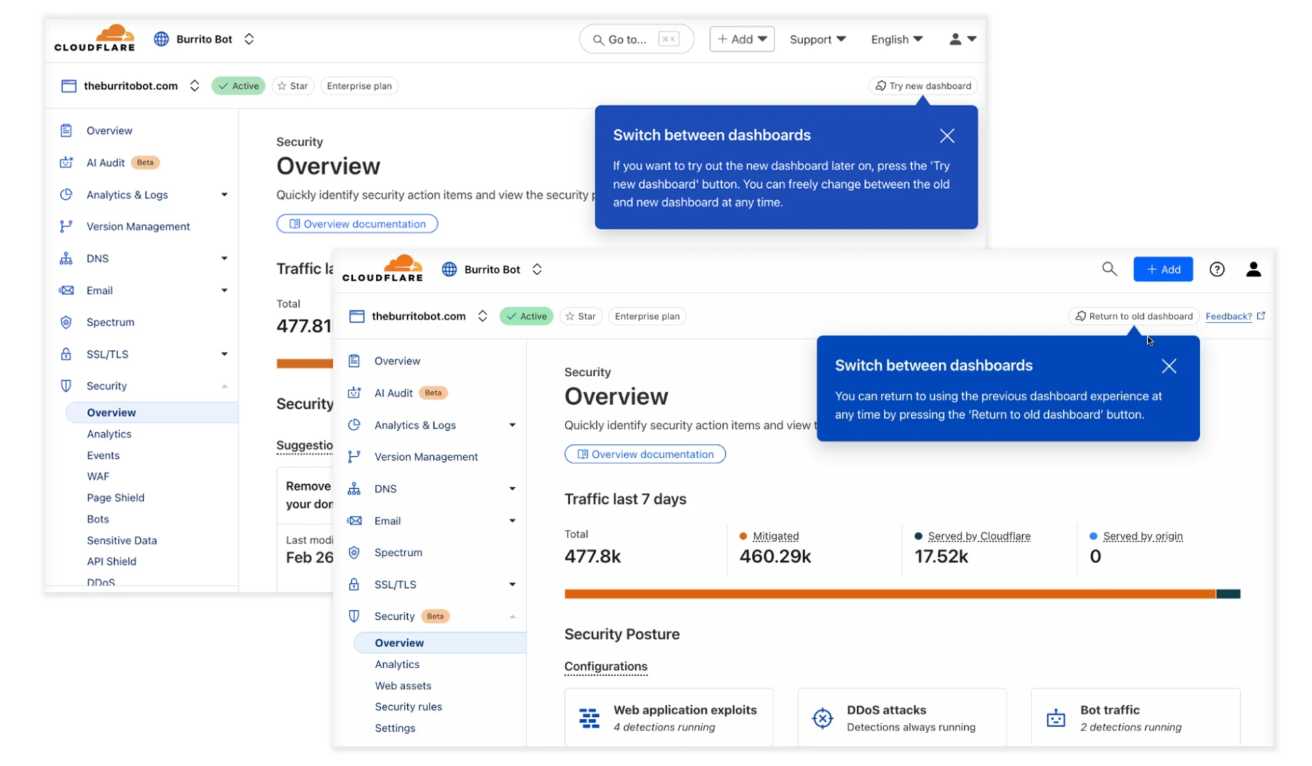
From individual products to a unified solution
Cloudflare's application security features had grown across separate product spaces, each with their own dashboard, terminology, and navigation. To find the right tool, users first had to know which product it belonged to, then relearn an entirely new UI layout each time. Investigating a single security event often meant switching contexts between multiple dashboards.
The goal of the dashboard unification project was to identify the common user journeys between these tools, then bring them together into a single experience organised by the threats users face, not the product lines that built them.
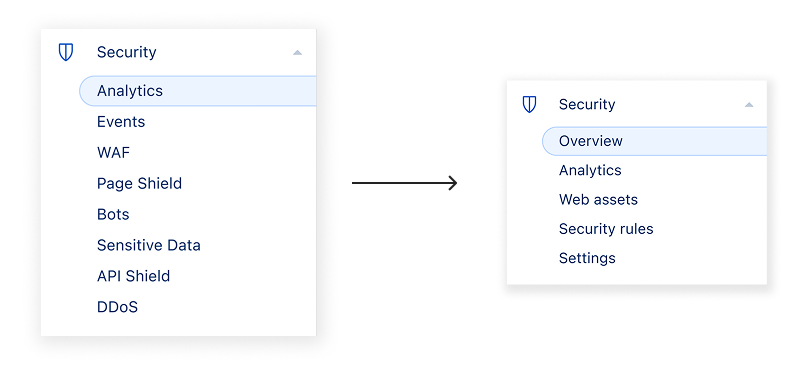
Research and guidelines
Before any copy could be written, I conducted a language and content hierarchy audit across the existing dashboards. This involved mapping where terminology was shared across products, where they diverged, how information was presented, and where introducing new terms could create friction for existing users.
In parallel to auditing the existing dashboard terminology, I interviewed customers and ran workshops with colleagues to understand how these security tools are used.
Helping users mitigate security threats
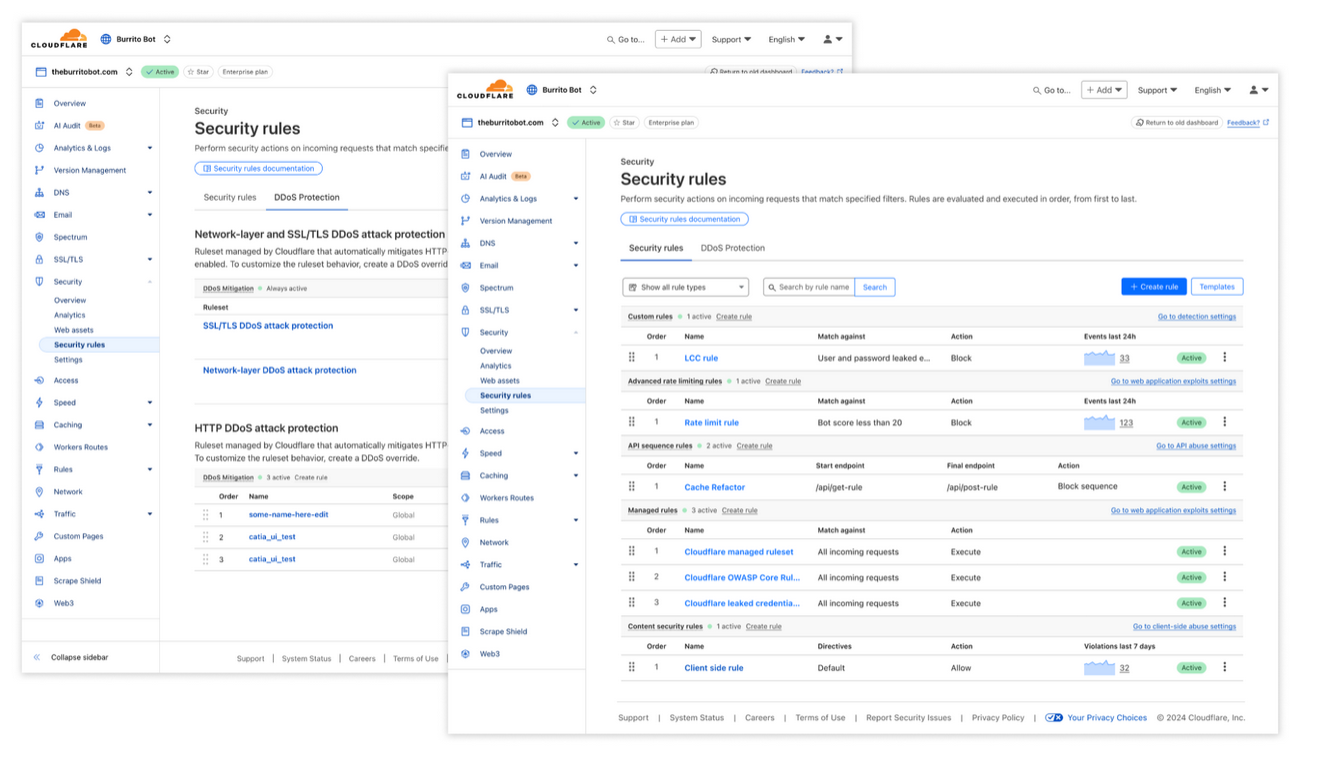
Security rules are one of the core features of Cloudflare's application security offerings. These rules allow users to configure how Cloudflare protects their websites and applications from malicious web traffic. Rules were previously split across pages by product: API rules lived apart from bot rules, for example. Merging them meant bringing many use cases, each with its own complexity, into one space.
To guide users on how to use security rules, we paid close attention to the discovery phase and the rule creation phase.
Discovery
Users come to the rules page from different starting points. Those who want to learn may arrive through documentation. Those already familiar with rules dive straight into the creation flow. Those who want a quick starting point reach for templates. The content strategy was designed with multiple entry points in mind.
Creation flow
Rules are grouped by their primary function. After pressing the create rule button, a list of available rule types is shown, each accompanied by a tooltip and a brief description of its purpose. Once inside the creation flow, the user sees a longer description alongside a documentation link specific to that rule type.
Templates
The templates sidebar presents ready-made rule templates grouped by their primary function. Each template card title is written to describe the outcome the rule provides, with a supporting description explaining how it works. Outcome-led titles let users find the right template without first understanding how rules work.
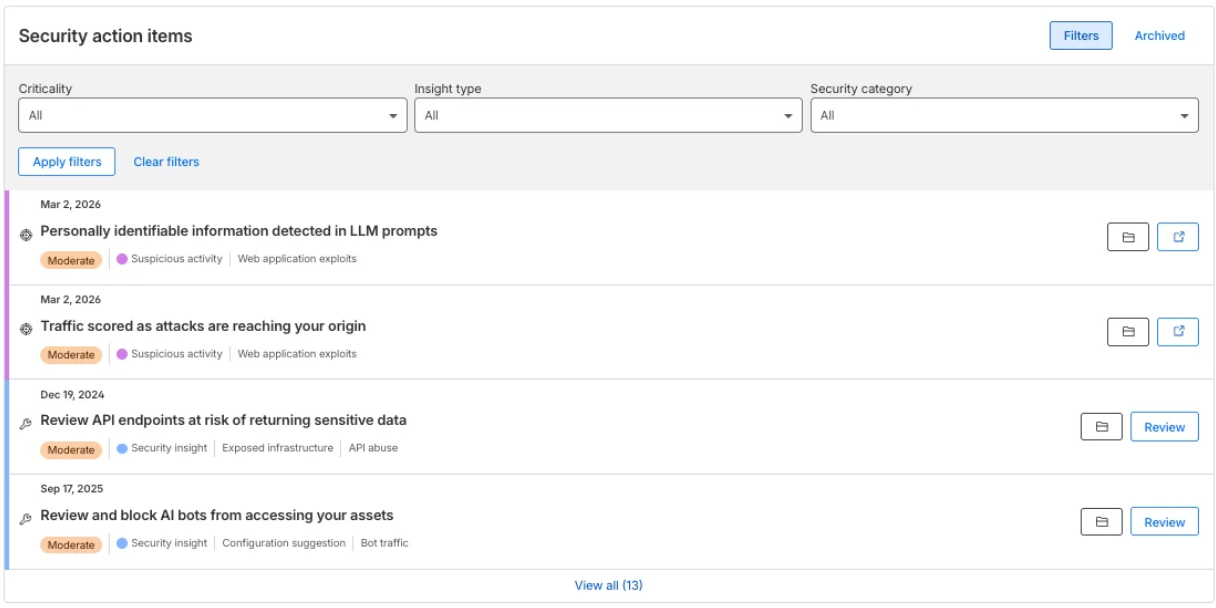
Clear guidance on a complex security posture
We implemented a security posture recommendation system along with the new dashboard, providing customers with insights and recommendations on how to improve their web application security. Providing clear and succinct guidance on what a user should do, where they need to go to do it, and why they should even care requires strong content design.
With dozens of recommendations spanning each area of security, I developed a content guideline for insights and recommendations to make sure insights were clear and recommendations were easy to follow.
Onboarding and change management
A unified dashboard changes where everything lives. New users needed to learn the tools for the first time. Existing users needed to unlearn years of muscle memory without losing trust in the product.
I designed the onboarding flows for the new experience to answer two questions for every tool: where do I find it now, and why does it matter to me? Each step led with the outcome the tool delivers before explaining where to go.
New users
First-time visitors were guided through the new navigation in the order they would use it: check your overview, review your analytics, then act on security rules. Value came first at each step so users understood what each area was for before they opened it.
Existing users
Users switching from the old dashboard could opt in and back out at any time. The toggle to swap between experiences was highlighted upon first use, and the first-run guidance mapped familiar product names to their new locations. This let users move at their own pace, which is why 86% of those who opted in never switched back.
Documentation strategy for large, parallel changes
When the new dashboard launched as a beta, our existing documentation did not match the new experience. Our docs team were now supporting two different versions of the security experience at the same time. Step-by-step guides only described the old dashboard, and searching for docs became more difficult due to naming changes. A completely new docs IA was the right long-term answer, but during the period when both the old and new dashboard were available at the same time, the goal was to close the most critical gaps first.
Documentation priorities
- Introductory descriptions were updated to reference new feature names where they existed, either inline or as a note on the page
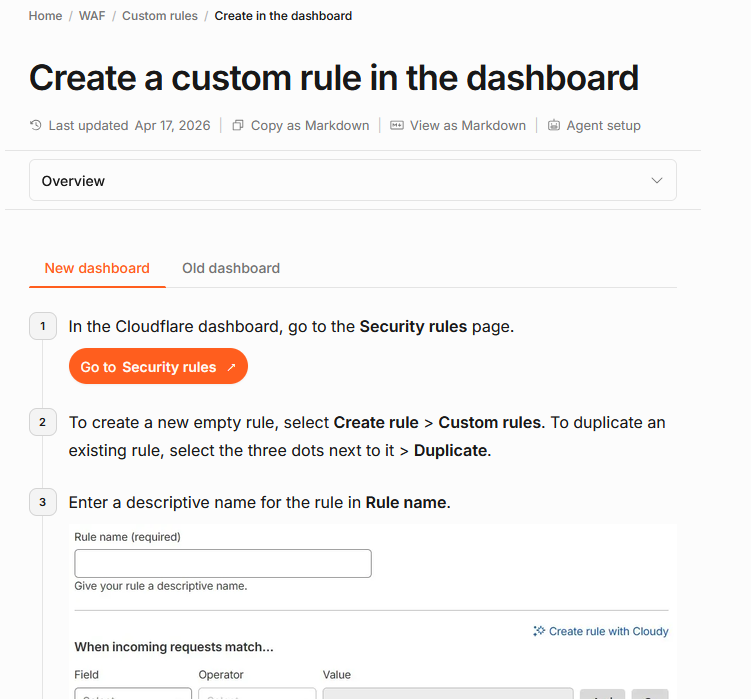
- Dashboard procedures were updated so that both old and new dashboard instructions existed side by side, using a tabbed format to separate them cleanly
- Search synonyms were added for new terminology so users searching with old product names could still find the right page
- The security dashboard proxy tile was prepared for the new dashboard so its content could be made fully searchable
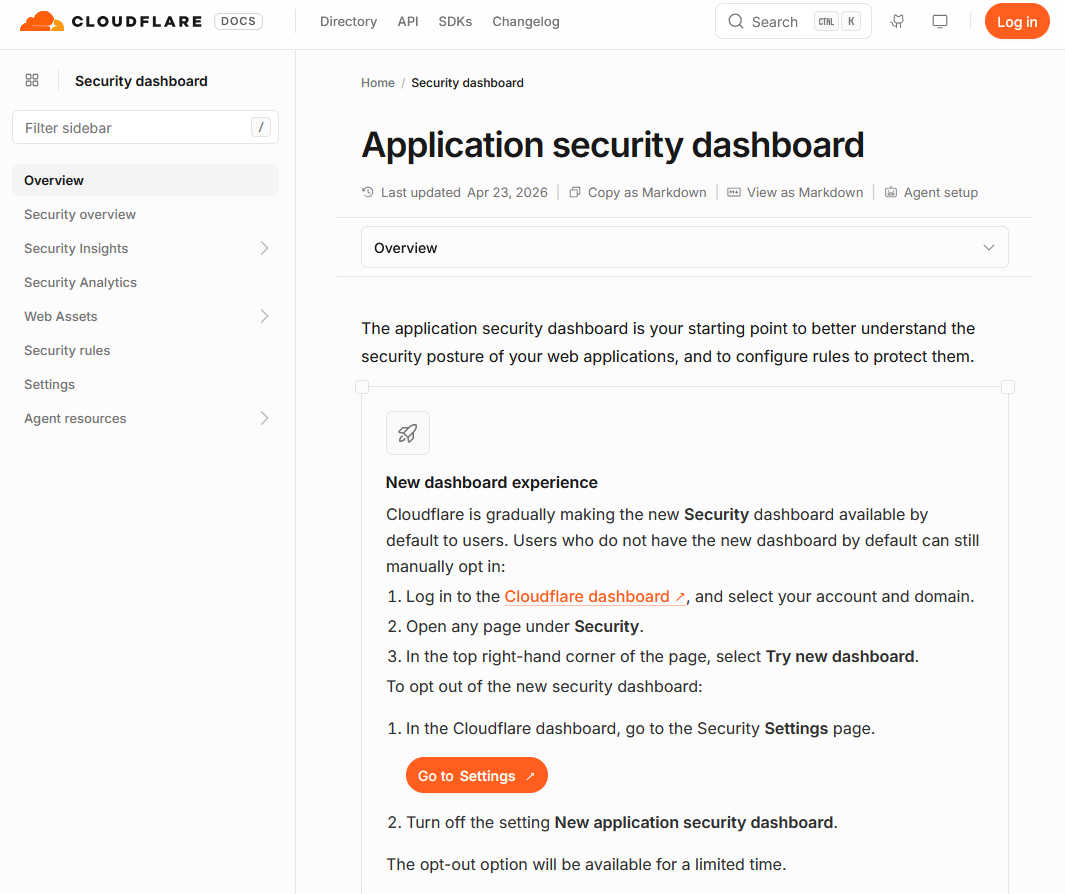
Creating documentation tabs for the new and old experience
For pages with long dashboard guides, we introduced a tabbed structure separating old and new dashboard instructions. This preserved existing content for users still on the old dashboard while giving new dashboard users a clear, up-to-date path. After the new dashboard experience becomes the default, the content under the old dashboard tabs can then be placed elsewhere.
For pages with only minimal dashboard guidance, a simpler inline approach was used, adding a short bullet pointing users to the equivalent location in the new dashboard without restructuring the full page.
Results
-
Users were 42% more successful at deploying security rules on the new dashboard
-
86% of users who opted in continued using the new dashboard without ever opting out
-
Users who viewed security insights were 170–2,200% more likely to improve their security posture, depending on the insight